

WhatsApp has become an essential tool for modern businesses, with over 2 billion users worldwide making it the most popular messaging platform for business communication. From initial customer contact to final payment collection, WhatsApp offers unprecedented convenience for managing your business operations.
For many businesses, requesting payments is a regular part of operations, whether you’re selling products or services. Traditionally, email has been the go-to channel for sending invoices. However, the business landscape is rapidly evolving, becoming more casual and conversational, thanks to the rise of social media platforms like WhatsApp, Instagram, TikTok, and Facebook. In this shift, WhatsApp has emerged as a prime channel for business communication, boasting a global audience of over 2 billion monthly active users and processing 596.6 million messages daily.
So why not leverage this widely-used platform to request payments? With Mteja’s WhatsApp API, businesses can now send invoices and request payments in a fast, direct, and efficient way. The API supports multiple file formats—documents, images, videos—making it ideal for sending invoices and transaction details to your customers.
Let’s walk through how you can send invoices and payment requests using the WhatsApp API:
Step 1: Creating a Template
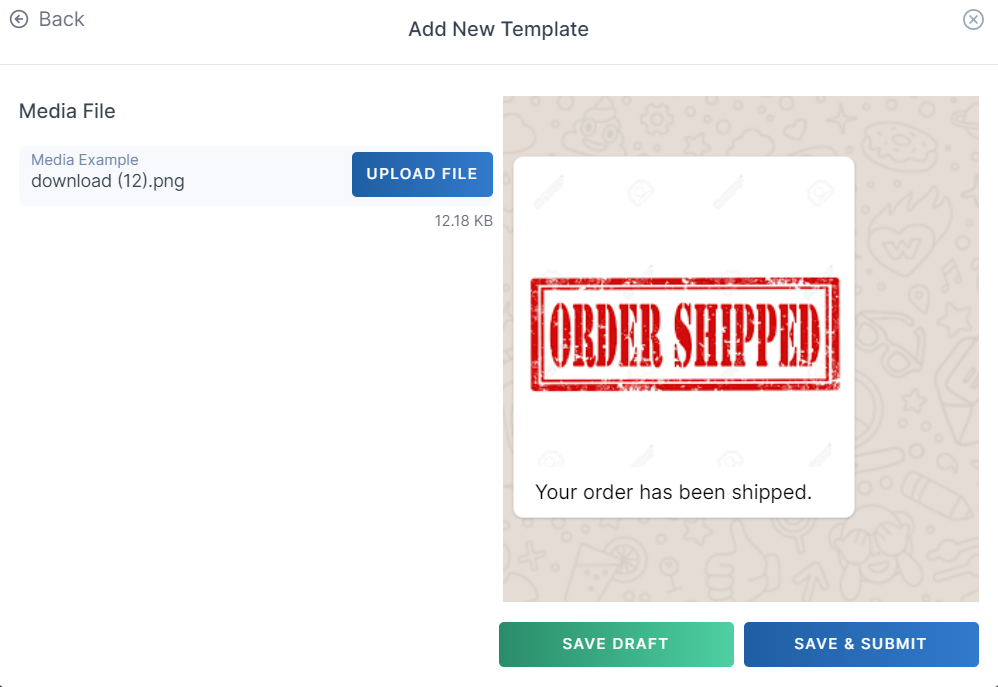
To send messages via WhatsApp, businesses must use pre-approved templates for initiating conversations. Templates allow for structured, customizable messaging, ensuring compliance with WhatsApp’s policies.
Here’s how to create a WhatsApp template:
- Login to your dashboard.
- From the main menu, click on Channels.
- Select WhatsApp Numbers. If you don’t have a WhatsApp number, reach out to support to get one.
- Find your number in the table and click on Templates.
- Click Create New.
- Review the templating guidelines, then click Next to start crafting your template.
For our scenario, we’ve created a template named spare_duka_invoice, which contains:
- Header: A component with the PDF invoice.
- Body: A message that includes the order number and a prompt for the customer to make payment.
- Button: A call-to-action button linking to a payment webpage.
Step 2: Sending the Invoice

With your template ready, you can now send invoices to your customers. For example, if you sell automotive spare parts, you can use the template to send invoices to clients who’ve made a purchase.
Here’s how to send the invoice:
- Simply send a request to the WhatsApp Broadcast API Endpoint with the following request body:
json

   {

     "template_name": "spare_duka_invoice",

     "phone_number": "+1234567890",

     "language_code": "en",

     "body": {

       "order_number": "123456"

     },

     "button": {

       "url": "https://example.com/payment"

     }

   }
NB: You will need to provide a link to the document you wish to send.
For detailed instructions on sending a template message, check out our API documentation.
Why WhatsApp for Business Invoicing?
The Modern Business Communication Hub
WhatsApp has revolutionized how businesses communicate with customers:
- 98% read rate – messages are almost always seen
- Instant delivery – no delays like email or post
- Visual proof – photos of completed work alongside invoices
- Two-way communication – customers can respond immediately
- Mobile-first – perfect for on-site business operations
Benefits Over Traditional Invoicing Methods
- Speed and Convenience: Send invoices immediately after job completion. Customers receive and can pay instantly. No printing, posting, or email delays. Reduce payment cycles from weeks to hours.
- Professional Appearance: Modern businesses expect digital communication. Integrates seamlessly with existing customer conversations. Provides instant confirmation and receipts. Creates clear audit trails.
- Cost Effectiveness: No postage or printing costs. Reduce administrative time. Lower failed delivery rates. Minimize payment collection efforts.
Manual Methods: How to Send Invoices via WhatsApp
Method 1: Using Accounting/CRM Software with WhatsApp
Popular accounting platforms now offer WhatsApp integration. The problem with popular accounting platforms is they require you to take the time, sit down, turn on the computer, write the invoice, export the invoice, send it to the customer, chase the payment, etc. The traditional problem listed above remains…
QuickBooks Online:
Create your invoice in QuickBooks Generate PDF from invoice screen Click “Send invoice” and select WhatsApp Add customer’s WhatsApp number Attach PDF and send message
Xero Integration:
Complete invoice in Xero Use “Share” option to export as PDF Open WhatsApp on your phone Find customer contact Attach PDF and include payment details
Sage Accounting:
Generate invoice within Sage Export as PDF to your device Open WhatsApp Business app Navigate to customer conversation Attach document with payment message
Method 2: Creating and Sending PDFs Manually
Step-by-Step Manual Process:
-
Create Your Invoice Document
Use Word, Excel, or online invoice templates
Include all required legal invoice information
Add your branding and professional formatting
Double-check calculations and customer details -
Export/Download as PDF
Save document as PDF for professional appearance
Ensure file size is manageable for WhatsApp (under 100MB)
Use descriptive filename (e.g., “Invoice_Smith_Kitchen_Jan2025.pdf”) -
Open WhatsApp and Find Customer
Open WhatsApp Business (recommended) or regular WhatsApp
Search for customer in existing chats
Start new conversation if first-time invoicing -
Compose and Send Message
Hi [Customer Name], Thank you for choosing [Your Business] for your [job description] work. I’ve attached your invoice for the completed work. The total amount is €[amount], due within [payment terms]. You can pay by: • Bank transfer: IBAN IE29 AIBK 9311 5212 3456 78 • Cash payment Please confirm receipt and let me know if you have any questions. Thanks again for your business! [Your Name] [Phone Number] -
Attach PDF and Send
Tap attachment icon (📎)
Select “Document”
Choose your PDF file
Add caption if needed
Send message
Method 3: WhatsApp Business Features
WhatsApp Business App Advantages:
- Professional Profile: Business name and description, professional contact information, business hours and location, verified business badge
- Quick Replies: Save common invoice messages, include payment details automatically, consistent professional communication, faster response times
- Labels and Organization: Tag conversations (e.g., “Invoice Sent”, “Payment Pending”), filter customers by payment status, track invoice delivery and responses, organize follow-up actions
- Business Tools: Away messages for after-hours invoicing, greeting messages for new customers, product catalog for standard services, statistics on message delivery and reads
Smart WhatsApp Invoice Solutions
The Evolution Beyond Manual Methods
While manual methods work, they still require significant time and effort:
- Creating invoices: 10-15 minutes per invoice
- Finding and attaching files: 2-3 minutes
- Typing payment details: 3-5 minutes
- Following up on payments: Ongoing time investment
Modern AI-powered solutions eliminate these inefficiencies while providing superior results.
WhatsApp AI Invoicing Platforms
Several platforms now offer automated WhatsApp invoicing:
- InvoChat Features: AI-powered invoice creation, WhatsApp integration, payment processing, customer management
- ReachMax Capabilities: Quote and invoice automation, WhatsApp messaging, payment collection, business analytics
- Zoho Billing Integration: WhatsApp messaging integration, automated invoice delivery, payment reminders, subscription management
Comparing Manual vs Automated Solutions
| Method | Time Required | Cost | Payment Speed | Professional | Ease of Use |
|---|---|---|---|---|---|
| Manual (Word/Excel) | 90-120 minutes | Free | 7-30 days | Ok | Hard |
| Accounting Software | 60-90 minutes | €15-50/month | 7-30 days | Excellent | Moderate |
| WhatsApp AI Tools | 30-60 minutes | €20-100/month | 3-7 days | Good | Good |
| Manano | 30 seconds | Pay-as-you-go | Same day | Excellent | Excellent |
Getting Started: Choose Your Method
For Small Operations (1-2 jobs/week):
Start with WhatsApp Business app, create basic invoice templates, use manual PDF creation, focus on clear payment instructions.
For Growing Businesses (3-10 jobs/week):
Consider accounting software with WhatsApp integration, implement systematic invoicing procedures, use professional invoice templates, track payment cycles and follow-up procedures.
For Busy Professionals (10+ jobs/week):
Invest in AI-powered solutions like Manano, prioritize speed and automation, focus on cash flow optimization, minimize administrative overhead.
Conclusion: Start Getting Paid Faster Today
The WhatsApp Invoicing Revolution
WhatsApp invoicing represents a fundamental shift in how businesses manage their operations. The technology exists today to:
- Eliminate administrative burden – create invoices in seconds, not hours
- Accelerate payment cycles – reduce 30+ day waits to same-day payments
- Improve customer relationships – professional, convenient communication
- Optimize cash flow – predictable, faster revenue collection
- Scale business operations – handle more jobs without more admin
Choosing Your Path Forward
Immediate Action Steps:
For Any Business:
Set up WhatsApp Business – professional profile and quick replies, create invoice templates – standardized professional messages, establish payment procedures – multiple convenient options for customers, implement follow-up systems – professional payment reminder processes.
For Efficient Businesses:
Try Manano today – text us your next completed job, experience 30-second invoicing – from job details to professional invoice, choose instant payment options – get paid before customer even pays, scale your business faster – better cash flow enables growth.
The Competitive Advantage
Businesses using modern invoicing methods gain significant advantages:
- Customer Perspective: Convenience – pay instantly from their phone, Trust – professional, branded communications, Transparency – clear pricing and payment terms, Speed – immediate service completion confirmation
- Business Perspective: Cash flow – faster, more predictable payments, Efficiency – less time on administration, Professionalism – enhanced business reputation, Growth – resources freed up for revenue-generating work
Ready to Transform Your Business?
Traditional Invoicing:
Create invoice on computer (15+ minutes), print and post or email to customer, wait 2-6 weeks for payment, chase overdue accounts manually, administrative burden limits growth.
WhatsApp with Manano:
Nothing to install, no need to sit at a computer, text job details (30 seconds), professional invoice created automatically, customer pays instantly via payment link, or Manano advances you the money, money in your account same day (most times the same hour), focus entirely on work you are paid to do. Not writing, sending and chasing invoices.
Transform your invoicing today – send your next completed job details to Manano via WhatsApp and experience the future of business invoicing. Professional invoices, instant payments, maximum cash flow.
About the Author




